
…Build the confidence and competency of educators to put the ISTE Standards for Students and Educators into practice.
WHAT
Educational technology is a tool to provide a better understanding of knowledge through problem-solving and critical thinking. Indeed, to achieve this goal, technology in education can not be used just as a device but for both cognitive and physical tools. It is interesting to differentiate popular knowledge about the use of technology in education because using computers to access data is not effective for learning achievement. It is essential to know how to use the technology in the classroom and provide student’s analysis, for example. I used Padlet and NASA websites to demonstrate how to integrate these online tools in the classroom efficiently. These tools can easily be integrated into an STE(A)M project. For STE(A)M project, please, check STE(A)M 1a.
Padlet
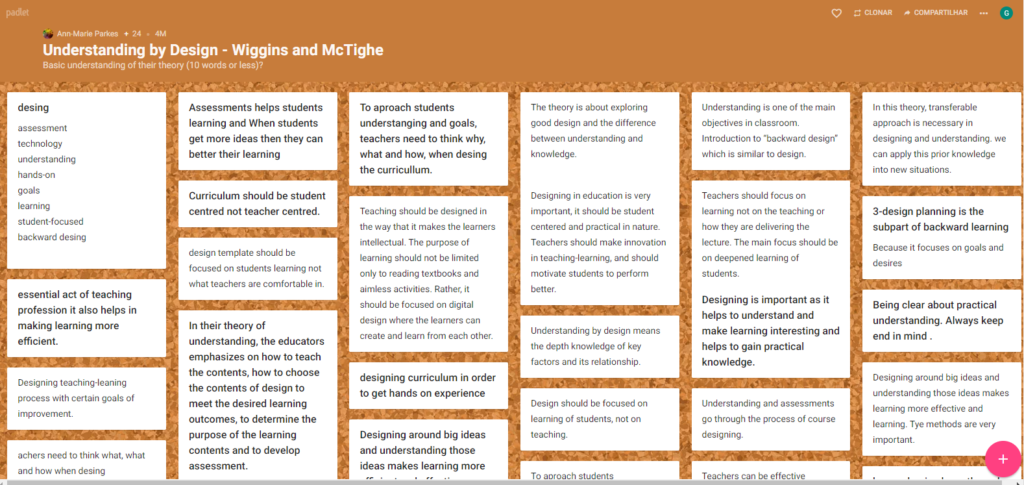
Padlet is an interactive digital wall that allows students and teachers to work together, sharing notes, videos, links, and images simultaneously and virtually. Also, it allows for modifying data later. It creates an enthusiastic note wall in the classroom, where students can share ideas, knowledge and edit them, providing a group and visual work.
WHY
Padlet allows teachers to use many instructional strategies such as start the content by sharing ideas, summarizing and reviewing the last class, building a story together, criticizing some new or article, doing quizzes, researching, creating a gallery, postering presentations, and others. It is easy to differentiate the strategies to use with each student because Padlet provides all of these instructional strategies as a single screen, where students can work as a group in the classroom or virtually, and the teacher can select each activity per student’s knowledge or background.
HOW
To a successful Padlet use in the classroom, I suggest teachers start showing the Padlet wall and explain how it works, inviting students to build a wall together. After that, explain how to download the program and help students to do it. It is essential to make sure if every student could process their Padlet log in before starting the activity. Due to being an interactive activity and with all students participating at the same time, it holds attention, engages students, and decreases distraction. Please check the document below with instructions.
Online field trip by NASA Software- Eyes on the Solar System
WHAT/WHY
This software created by NASA, Eyes on the Solar System, is an easy and free software to download available at NASA website that provides an electronic field trip to the universe. It allows science studies in astronomy more dynamic and integrated in real-world practice. Also, it increases critical thinking and engagement in students learning.
For most science teachers, astronomy is a challenging subject, because it is outside of our eyes, and it demands students’ three dimensions cognitive to understand the movements in our solar system. According to Jacobs (2010), despite easy access, astronomy is often a neglected area of science in terms of in-depth study, and it needs more implementation at the curriculum in elementary and middle schools (p.42). Using this technology tool, students can explore the planets, their moons, asteroids, comets, and spacecraft from real images captured by NASA. It brings students and teachers an accessible observatory of each planet, and especially of our home planet alongside the spacecraft that keep track of Earth’s climate. By using mouse control at the computer, it is possible to recreate the rotation and translation movements. This software allows students to construct many concepts, ideas, and create curiosity and interest in science. Also, it provides astronomy and technology literacy.
HOW
This technology is effective to use as an instructional strategy for diverse learners. The electronic trip field at the universe provides students a visual exploration and concrete learning by three dimensions achieving different skills. Also, teachers can use this technology tool as part of a learning station in the classroom. Each station could be divided into different skills such as reading an article, using the electronic trip field, writing a journal, creating an artwork. This technology allows free study exercise also to meet the preferences of visual learners. By running these sorts of activities, free study time will begin to benefit diverse learners, not just students who quickly process information through quiet, individual work.
Classroom Management strategies to ensure effective use by teacher and learners.
To a successful use in the classroom, I suggest teachers download the software previously in each Chromebook. They were starting by showing how the electronic field trip works and suggesting what the students can explore. After that, the students will be conducted in different stations in small groups. Each group works with one kind of skill to improve their subject learning. At this moment, teachers will facilitate their learning skills. Different learning stations in the classroom helps to manage technology use because it is done with small groups. It also helps to decrease students’ distractions. Please check the document below t for the instructions.